Getting Started
The Rockety API lets you integrate Rockety with your own applications and services. You can use the API to create, read, update and delete resources in Rockety, such as projects, tasks, users and more.
To use the API, you'll need to:
- Have a Rockety account
- Generate an API token - you'll need to be an admin of your organisation to do this.
- Understand basic development concepts, or have a developer who can help you
API keys are only scoped at the organisation level, meaning that an API key will have access to all projects and resources within the organisation. Be careful when sharing your API key, as it grants full access to your organisation's data.
Generating an API Token
To generate an API token:
- Go to your Organisation Settings in Rockety
- Go to "Integrations"
- Go to "Rockety API"
- Click "Create API Key"
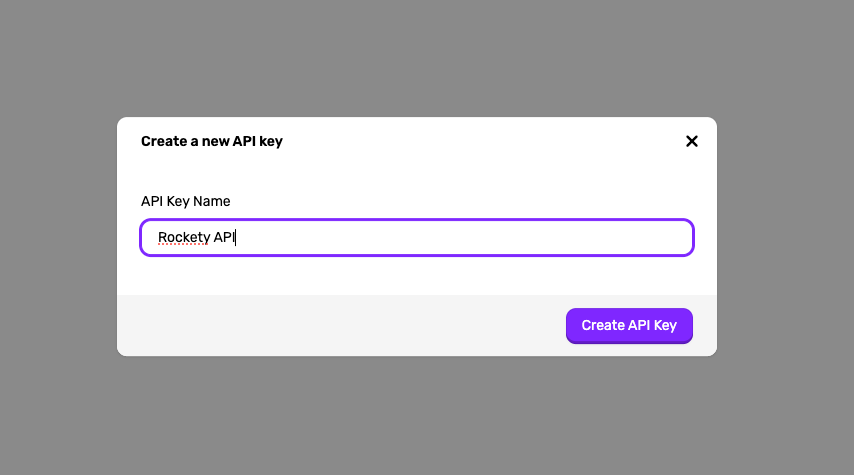
- Give your API key a name, and click "Create API Key"
- Copy the API key and store it somewhere safe - you won't be able to see it again!
Making API Requests
The Rockety API is a RESTful API, which means you can make requests using standard HTTP methods such as GET, POST, PUT and DELETE.
All API requests must be made over HTTPS to ensure the security of your data.
Base URL
The base URL for all API requests is:
https://app.rockety.io/api/v1
Authentication
All API requests must include an Authorization header with your API token as a Bearer token. For example:
Authorization: Bearer YOUR_API_TOKEN
Example Request
Here's an example of how to make a GET request to retrieve a list of projects in your organisation using curl:
curl -X GET "https://app.rockety.io/api/v1/projects" \
     -H "Authorization: Bearer YOUR_API_TOKEN"
Response Codes
The API will return standard HTTP response codes to indicate the success or failure of your requests. Common response codes include:
200 OK- The request was successful201 Created- The resource was successfully created400 Bad Request- The request was invalid or cannot be served401 Unauthorized- Authentication failed or user does not have permissions for the requested operation404 Not Found- The requested resource could not be found500 Internal Server Error- An error occurred on the server
Parameters
Some API endpoints accept query parameters to filter or modify the response. Parameters should be included in the query string of the URL for GET requests, or in the request body for POST/PUT requests.
Paginated Responses
For endpoints that return a list of resources, the responses are often paginated. You can use the page query parameter to control pagination. The response will include metadata about the total number of items, pages, and the current page.
For example, to retrieve the second page of projects:
GET /projects?page=2